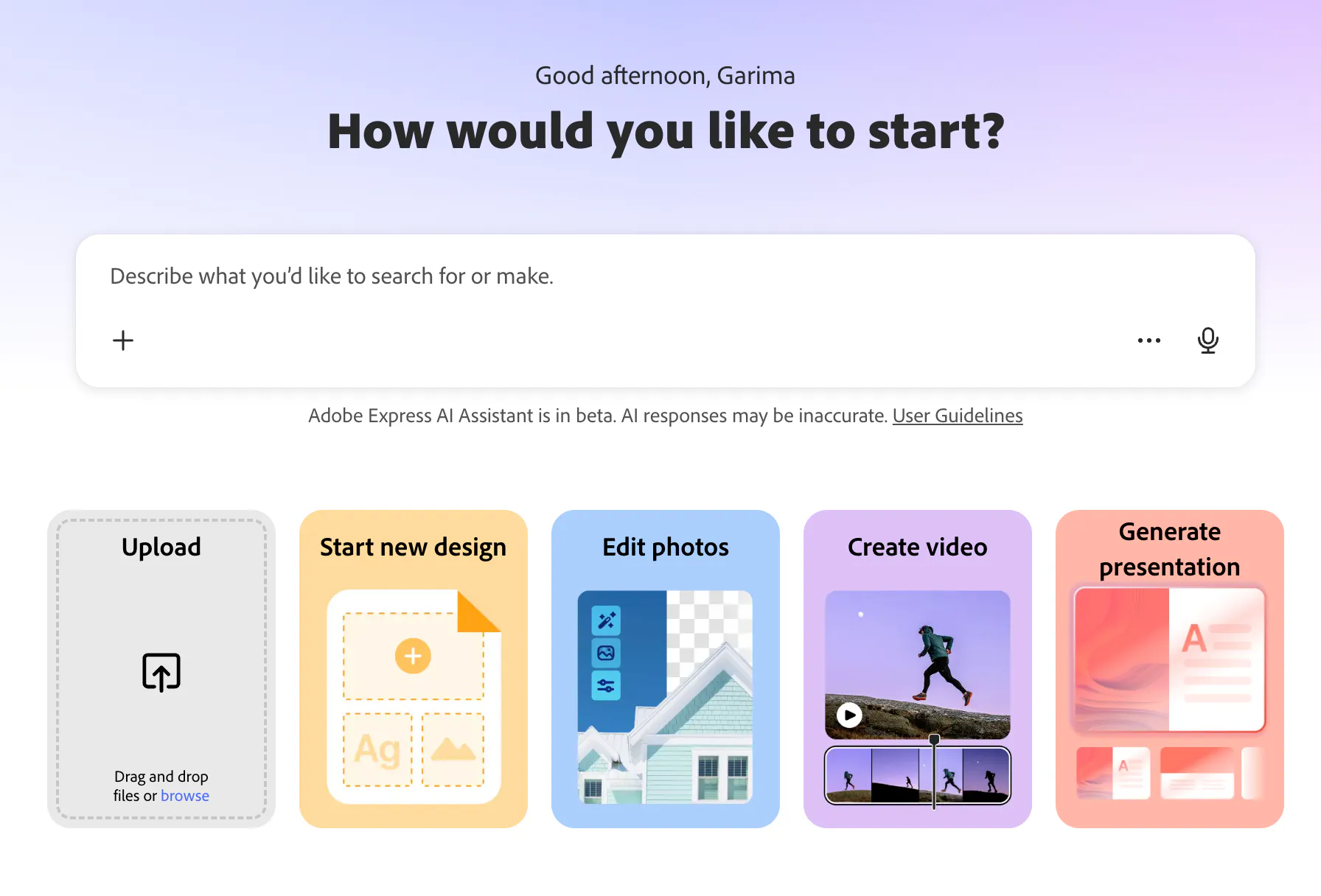

Adobe Express has become one of the most useful tools in my content creation workflow, helping me take a photograph from the moment I capture it to the moment it reaches an audience.
As a photographer, I have always thought of the photograph as the beginning, not the end.
There is everything that goes into making an image: finding the light, choosing the frame, deciding what belongs in it, waiting for the right moment and finally pressing the shutter.
Then comes everything that happens after. Selecting the photographs, editing them, sharing them, turning them into a Reel, creating a carousel, writing a caption, adapting them for different platforms and figuring out when to publish.
For photographers and creators today, the creative workflow does not end when the camera does.
That is where Adobe Express becomes interesting to me.
It brings design, photography, video, templates, AI-powered tools, branding and social media publishing into one creative workflow. You can create a design, adapt it for different formats, work with your own photographs and videos, and schedule content for social channels without constantly jumping between different tools.
I recently explored this entire process through my three-part series, Capture to Content, looking at what happens between making an image and actually putting it out into the world.
Episode 1: The Anatomy of a viral carousel
Episode 2: The One-to-many Content Method
Episode 3: The Visual Identity Playbook
The idea behind the series is simple: a photograph can have a much longer life than the moment in which you made it.
Table Of Contents
What Is Adobe Express?
Adobe Express is Adobe’s creative platform for making social posts, graphics, videos, presentations, flyers and other visual content.
It combines design tools, templates, photo and video editing, creative assets, AI features, branding tools and social media scheduling in one place.
For someone who already works professionally with Adobe’s wider creative ecosystem, I don’t see Adobe Express as something that needs to replace every other tool in my workflow.
I see it differently.
It sits in that space between the photograph I have created and the content I want to share.
As photographers, we already know how to create the visual. The more complicated part can be figuring out what happens afterwards.
And that is increasingly important because a photograph is no longer necessarily consumed simply as a photograph.
It might become a Reel. It might sit inside a carousel. It might become the background for a graphic, a Story, a campaign asset or part of a larger visual story.
Adobe Express helps you build those different versions around the original creative idea.
Also Read: How To Master Masking in Lightroom: TUTORIAL for 6 Kinds of Masking
Why Adobe Express Makes Sense for Photographers

Photography has changed because of social media.
When I started photographing, the image itself could be the final destination. Today, especially as a creator, that same image may be only one piece of a much larger content ecosystem.
A travel photograph can become a post.
Five photographs can become a carousel.
A few behind-the-scenes clips can become a reel.
The story behind the photograph can become a text-led graphic.
A collection of images can become a blog feature or project case study.
The photograph remains the same. What changes is how you communicate it.
That is why I think Adobe Express for photographers is particularly useful. It allows you to take something you have already invested time and thought into and find more ways to use it.
The goal is not to create more for the sake of creating more.
It is to get more out of the work you have already made.
Want to see the process beyond the blog?
I share more photography, behind the scenes, creative workflows and the tools I use to turn photographs into content on Instagram.
Episode 1: The Anatomy of a Viral Carousel
A good carousel is more than a collection of photographs placed next to each other. When done well, it creates a reason to keep swiping.
That was the starting point for the first episode of my Capture to Content series, where I break down the anatomy of a viral carousel and look at what actually makes people stop, swipe and stay.
As a photographer, I naturally start with the images.
But when you’re creating for social media, a strong photograph is only one part of the story. The sequence, the first slide, the typography, the pacing and the information you reveal along the way can completely change how someone experiences those photographs.
The first slide is particularly important. It has to earn the swipe.
Think of it almost like the opening frame of a film. It should create enough curiosity for someone to want to know what comes next, without giving the entire story away immediately.
Then comes the sequence.
A strong carousel has a sense of movement even though the viewer is simply swiping through still images. You can use different compositions, close-ups, wider frames, text, details and pauses to create a rhythm.
The images should feel connected, but each slide should also give the viewer a reason to continue.
This is where Adobe Express becomes useful in my content workflow.
Instead of treating each photograph as an isolated post, I can bring multiple images together, experiment with layouts, add typography and build a visual narrative around the photographs. Adobe Express templates can provide a starting structure, while its design tools allow me to customise the look so that the final carousel still feels like my work.
And perhaps the most important part is that the design should serve the photographs, not compete with them.
As photographers, we’re already thinking about composition inside the frame. A carousel simply extends that thinking beyond a single frame. Now you’re composing across multiple slides.
The question changes from “Is this a good photograph?” to “Does this photograph make the next slide worth seeing?”
That is the anatomy of a carousel I wanted to explore in Episode 1, and it is also a reminder that creating content does not always mean creating something entirely new.
Episode 2: The One-to-Many Content Method
Once the photographs exist, the next challenge is turning them into something people can experience in different formats.
of the most practical Adobe Express features for social media is its Resize capability.
Every platform has its own formats and dimensions, and recreating the same design for every channel can become one of those small tasks that quietly eats up hours.
Adobe Express allows you to resize designs for multiple formats, making it easier to adapt one creative idea for different channels. The current Premium plan includes one-click Resize for multiple channels.
For photographers, that can be particularly useful.
Your original image may have been captured in one aspect ratio, but the content you want to create around it might need to exist in several others.
Instead of treating each format as a completely new design, you can start with the original and adapt it.
That means one shoot can become a much larger content library without creating everything from scratch.
Instagram Post Sizes Guide
- Portrait post: 1080 × 1350 px | 4:5
- Square post: 1080 × 1080 px | 1:1
- Landscape post: 1080 × 566 px | 1.91:1
- Carousel: 1080 × 1350 px | 4:5 recommended
- Instagram Reel: 1080 × 1920 px | 9:16
- Instagram Story: 1080 × 1920 px | 9:16
- Profile picture: 320 × 320 px | 1:1
For photographers: I’d recommend 4:5 (1080 × 1350 px) for feed posts because it takes up more screen.
If you’re curious about the equipment I use to create the photographs and videos you see throughout my work, I’ve put together my current photography setup here.

Onete while still displaying beautifully on Instagram.
Also Read: Add a Dreamy Glow Effect in Your Photos in Adobe Lightroom in 2 Steps
Adobe Express AI: Let Technology Handle Some of the Repetition
I am interested in AI when it gives me more time to actually be creative.
Adobe Express now includes several AI-powered features, including Generate Image, Generate Template and Generate Text Effects. Its newer AI Assistant, currently in beta, can also create and edit designs using natural-language instructions, including making layout changes, restyling images and editing specific elements.
The important thing for me is that AI does not have to replace the creative decision.
My photograph still needs my eye.
The story still needs my perspective.
The final image still needs my judgement.
AI can simply help reduce some of the friction between the idea and the execution.
And that distinction matters.
I don’t want technology deciding what I should photograph or what my work should say. I am very happy for it to help me get through some of the repetitive parts of turning that work into content.
Episode 3: The Visual Identity Playbook
As photographers, we spend years developing a visual language.
The way we use light. The colours we gravitate towards. The compositions we make. The way we edit.
But your visual identity doesn’t stop at your photographs.
It appears in your Instagram feed, website, media kit, presentations, campaign work and social graphics too.

Adobe Express Brand Kits allow you to organise brand elements such as logos, colours, fonts, graphics and templates so they can be easily accessed and applied to designs.
For an individual creator, this can be surprisingly useful.
It means you don’t have to remember the exact font you used last time or search through folders for the right logo every time you make something.
More importantly, it helps create a visual thread between different kinds of content.
Consistency does not mean everything should look identical.
It means that even when the format changes, the work still feels like it belongs to you.
The Real Benefit of Adobe Express Is the Workflow
For me, the biggest reason to use Adobe Express isn’t one individual feature.
It is the workflow.
Photography already has a process.
Concept.
Capture.
Edit.
Select.
Present.
Publish.
Adobe Express can sit in that space between the finished photograph and the audience.
It helps turn an image into communication.
And that is what content really is.
A photograph is an image.
Content is an image with context, storytelling and intention.
Why Creators Should Use Adobe Express
If you are a photographer, content creator, small business owner or anyone regularly creating for social media, Adobe Express can simplify a significant part of your workflow.
You can use it to create social media graphics, carousels and videos, work with templates, resize content, maintain brand consistency, use AI-powered creative tools, access creative assets and schedule social posts.
But I think the bigger benefit is what happens when all these things start working together.
You stop thinking of content creation as a series of disconnected tasks.
You start seeing a workflow.
And that is something I think creators need more of.
Not necessarily more content.
Better workflows.
Frequently Asked Questions
What is Adobe Express used for?
Adobe Express is a creative platform for creating and editing social media posts, graphics, videos, presentations and other visual content. It also offers templates, AI-powered features, branding tools and social media scheduling.
Is Adobe Express good for photographers?
Yes. For photographers, Adobe Express can be useful for turning original photographs into social media posts, carousels, videos, graphics and other content formats. It is particularly helpful when you want to repurpose existing photography instead of creating new content for every post.
Can Adobe Express resize content for social media?
Yes. Adobe Express includes Resize tools that can adapt designs to different formats and dimensions. One-click Resize for multiple channels is available with Premium.
Can you schedule social media posts with Adobe Express?
Yes. Adobe Express Content Scheduler allows users to plan, preview, schedule and publish content to supported social media channels.
Does Adobe Express have AI features?
Yes. Adobe Express includes AI-powered features such as Generate Image, Generate Template and Generate Text Effects. Its AI Assistant is currently in beta and can help users create and edit designs using natural-language prompts. Availability can vary by account and feature rollout.
Can Adobe Express be used for Instagram content?
Yes. Adobe Express can be used to create and adapt visual content for Instagram, including social posts and other formats, while its Content Scheduler can be used to plan and schedule supported social content.

Subscribe to never miss a post!
Leave a Reply